
Toddler Coloring
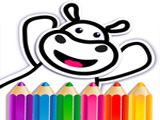
Toddler Coloring lets kids fill simple animal pictures with color, then watch those animals move and perform short dance animations. The pictures unlock in parts, so the drawing does not appear at once. A new piece of the animal shows up only after the previous part is fully painted. Each picture uses pencils and a wash tool. Pencils add color, and the wash erases areas that did not turn out how the player wants. It works like a basic undo, but only on the zones the player touches. This keeps the coloring game easy to control, even for very young players using a mouse or touchpad.
How to play?
Pick any unlocked animal from the coloring book page. Color the part that appears on the screen using the pencils in the bottom panel. If the next section of the animal does not load, tap the arrow at the top to display the next section, then continue filling it in. Finish all the parts until the frame has no gray or blank spots.
After the full animal is colored, press the buttons in the lower corners to trigger dances and little tricks. Each finished character has its own short animation tied to those buttons. Color more animals to expand the on-screen collection and watch how many different moves they can perform. Jump in, test new color combos on every animal, and slowly build a full dancing zoo on your screen.

About this game:
- Players have rated this game 3.88 out of 5, based on 439 votes.
- Released in November 2020.
- Ready to play on Web Browser (PC) and Android/iOS (Mobile).
- Age rating: 3+
- Powered by HTML5 — jump right in and start playing in your browser, no downloads needed.
Game features:
- Animal drawings appear in small parts that unlock only after the current zone is fully colored
- A top-arrow button forces the next body part of the animal to appear if it did not load automatically
- Dance and trick animations start only after the animal picture is completely finished
- Corner buttons control different dance moves for the same colored animal
Tips & Tricks:
- Use the wash tool on large areas first so small details are easier to fix later
- Tap the top arrow whenever the screen looks empty to reveal the next section
- Finish the full outline before testing the corner buttons for dances
- Try one solid color per part of the animal to see the animation details more clearly
Related Games:
 Diamond Sorting: Crystal Coloring
 Coloring Book Free
 Cocomelon Coloring
 Graffiti Master Toilet Meme
 Kids Color Book
 Coloring Frog
 Lilo & Stitch: Coloring Book for Kids
 Coloring: Pixel Art 3D
 Puzzle Painter
 Drawing Christmas for Kids
 Coloring Multi Animal
 Just Coloring
 Drawing in 3D Space
 Cars Coloring
 Handmade Easter Eggs Coloring Book
 Color the Cells
 Coloring: Fun Colors
 Happy Hospital Coloring
 Coloring Pages for Kids Aged 6-7
 Ant Art Tycoon
 Splash Art Autumn Time
 Sand Painting: Summer Holiday
 Cute Coloring Kids
 Coloring Dolls