
Coloring Pictures for Kids - Games
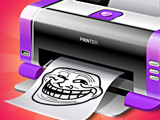
Kids, do you want to bring any artistic ideas to life? Then welcome to the awesome game “Coloring Pictures for Kids - Games.” Choose from ready-made images in various categories, create drawings from scratch, or upload your own photos or coloring pages directly from your device. You’ll have access to a wide color palette, a variety of brushes, and tools. Want to color a pre-made picture or draw something completely new? Everything you need for creativity is right here. And if you plan to spend more time drawing, turn on night mode to make the interface easier on your eyes. This is very important for healthy vision. In addition, you’ll find extensive options for customizing and working with images. You can choose the brush type and size yourself, zoom in on specific areas of the canvas, undo recent actions, and save unfinished works to return to them later. You can download your finished drawings to your device or print them directly from the game. The latter option is available on a computer. Create your own collections, experiment with colors, and turn ordinary images into works of art.
How to play?
Choose one of the available modes—drawing from scratch or coloring pre-made images. If you want to work with your own image, upload a photo or coloring page from your device. To draw, use the toolbar; choose a color from the preset shades or select the one you need from the palette. Adjust the brush size and type depending on the task. Zoom in on the canvas to work on fine details, and zoom out for a general overview. If you make a mistake, click the undo button and keep drawing. When you’re done, save your artwork to admire it or share it with your friends and family.

About this game:
- Players have rated this game out of 5, based on votes.
- Released in November 2026.
- Ready to play on Web Browser (PC) and Android/iOS (Mobile).
- Powered by HTML5 — jump right in and start playing in your browser, no downloads needed.
Related Games:
 Word Art: Color Book Puzzle
 Sea Creatures Coloring Book
 Magic Coloring Book
 ASMR Coloring Book: AI Kids
 Tap To Color: Painting Book
 Pixel Mania
 Pencil Jam
 Lalafanfan Coloring
 Pixel Painting With a Bouncing Ball
 Painter
 Rainbow Friends Coloring Book
 Pigs Coloring Book
 Puzzle Coloring
 Color Me: Decora
 Clawdeen Wolf & Draculaura Online Coloring
 Splash Art: Grizzy and the Lemmings
 Pig Coloring Book
 Anycolor
 Mr Bean Splash Art
 Girl Skins: Avatar Coloring
 Bird Coloring
 Sleepy Princess Coloring Book
 Mobile Phone Coloring Book
 Decoration Book