
Disney Princess Winx Club
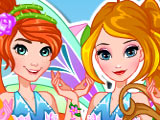
Disney Princess Winx Club lets classic Disney royalty try on full Winx-style fairy makeovers and switch from gowns to glittery wings. The girls already love the Winx Club look, so they line up in front of the mirror and wait for a complete style change into fairies. Pick one princess to start the makeover session, then turn her into a Winx fairy girl from head to toe. The character stands in the center of the screen while outfit panels sit around her, so every change shows up right away.
How to play?
Select outfits in Winx style, test different dresses, then lock in the fairy costume that best fits her image. Swap between several clothing options to see how each one changes the fairy's look before confirming the final combo. Add a new hairstyle, then match it with wings, tiaras, or shiny jewelry that stay within the Winx fashion vibe. Mix clothing and accessories until the princess looks like she could actually join the Winx Club, then move on to the next girl for another full makeover round.

About this game:
- Players have rated this game 4.47 out of 5, based on 438 votes.
- Released in August 2015.
- Ready to play on Web Browser (PC) and Android/iOS (Mobile).
- Age rating: 3+
- Powered by HTML5 — jump right in and start playing in your browser, no downloads needed.
Game features:
- Disney princesses are styled specifically to match Winx Club fairy fashion.
- The chosen princess appears at the center while outfit options surround her for instant previews.
- Players combine outfits, hairstyles, wings, and jewelry into one final fairy look.
- Each makeover session focuses on transforming one princess completely before switching to another.
Tips & Tricks:
- Test several dresses before adding accessories so the main fairy style feels clear.
- Match wing colors to the hairstyle or dress for a cleaner Winx look.
- Finish all outfit choices first, then do a quick full-body check before confirming the makeover.
Related Games:
 BFFs Black And Pink Fashionista
 Pretty Avatar Maker
 Color Winx
 Bloom Hair Spa & Facial
 Winx Club: Dress Me Up Too
 Easter Rabbit Style
 Winx Sirenix Surfers
 Winx Manicure
 Tecna Hair Spa & Facial
 Winx Club Hair Salon
 Winx Club: Bloomix Battle
 Winx Harmonix Heroines
 Fly with Bloom
 BFFs Fashion Sequin Addict
 Fairy Pretty Harmonix
 Super Girls Magical Fairy land
 Which Winx Club character is most like you?
 Winx Club Magical Match
 Winx Club: Pixie Rescue
 Bloom & Sky Kissing
 Winx: Bloom on Ice
 Winx: Color by Number
 Super Girls Ripped Jeans Outfits
 Winx: Birthday Bloom