
My New Room: Christmas Edition

Set up a cozy holiday hangout for your friends, pets, and toys, then turn it into a full Christmas-themed space. In My New Room: Christmas Edition, you play as the decorator who picks every detail for a big living room and turns it into a custom holiday scene. Fill the area with furniture, music gear, and Christmas items until it looks exactly how you want. Mix practical things like seating and lights with seasonal decor and create a room that feels ready for winter parties and quiet gift-opening mornings.
How to play
Click the icons to open sets of items, then drag objects into the living room. Place sofas, armchairs, and chairs, and shift them around until they line up the way you like. Drop in home musical instruments and playing machines to build a fun corner for games and sound. Swap wallpaper and flooring from their menus, then test different colors and patterns until they match your furniture. Pick window shapes and sizes from the available options and move them to any wall spots. Add floor lamps in empty places to brighten dark corners.
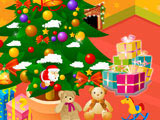
Finish the layout with Christmas decor pieces from the holiday tab and spread them across the room. Try several combinations until the design feels complete, then leave it as your finished Christmas living room.

About this game:
- Players have rated this game 4.47 out of 5, based on 3049 votes.
- Released in December 2016.
- Ready to play on Web Browser (PC) and Android/iOS (Mobile).
- Age rating: 3+
- Powered by HTML5 — jump right in and start playing in your browser, no downloads needed.
Game features:
- Place sofas, armchairs, and chairs anywhere in the living room to shape seating zones
- Switch wallpaper and flooring styles to combine different colors and patterns
- Choose window shapes and sizes, then position them freely along the walls
- Add musical instruments, playing machines, and Christmas decor to build a custom holiday setup
Related Games:
 Lake House Decorating
 Doll House Design And Decoration
 Barbie's DIY Baby Nursery
 Princess Jasmine's Sweet Home
 Bonnie's Pink Home
 Fantasy Castle
 Princesses Interior Design Challenge
 Paper Room Diy
 Princess Doll House Decoration
 Ice Cream Shop
 Interior Design in Toca Boca Style
 Super Cute Princesses: The House
 Tree House 2
 New Room Design
 Baby Abby Summer Activities
 Which is Your Favorite Bedroom Style
 Mermaid House Design
 Winter Decoration
 Trendy Bedroom Makeover
 Gabrielle’s Cozy Corner
 Home Design
 Cutie Yuki's Bedroom
 Realistic Baby Room
 Home Makeover